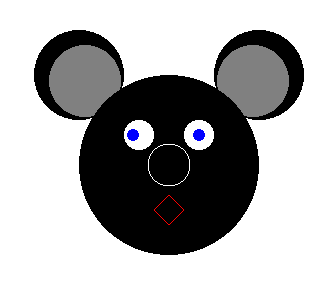
Recreate the following image by drawing circles on the screen. If you like a challenge,
try creating a more fitting mouth with the method drawPie.
You can do math with circles. There are operators like +=, -=, /= and *=, which can be used to alter the radius or the position. How do you know which value will be altered? Well, if you add a float to a circle, the radius will change. When you add a Vec2 this will alter the position.
Vec2 pos(0.1, 0);
Circle c(0.1, pos);

// move the circle 0.1 units to the right
5c += pos;
// move the circle 0.2 units down
c -= Vec2(0, 0.2);
// double the radius
c *= 2;

10