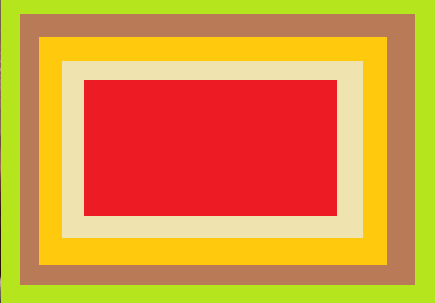
Recreate this screen in an application:
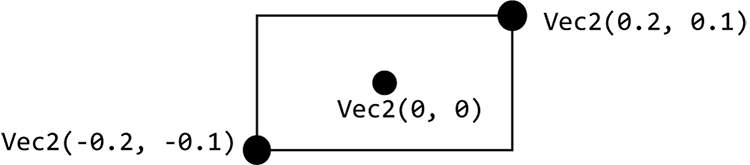
Figure 4.2: The corners of a rectangle
The last shape in the chapter is a rectangle: Rect. You will end up using this shape quite a lot, because a rectangle happens to be the shape of most gui elements, like buttons, windows and images.
After the last exercise, you know that you need 3 positions to draw a triangle. Logic dictates a rectangle requires 4 positions, right? But there’s one property of a rectangle that makes it a lot easier: all corners have an angle of 90%. This means that when you pass the lower left corner and the upper right corner, there is enough information to find the two remaining corner positions.
This means a rectangle can be created like this:
Rect(Vec2(-0.2, -0.1), Vec2(0.2, 0.1)).draw(BLACK, false);
Again there is a draw function with the color as the first argument. And optionally you can draw only the perimeter of the rectangle. Just as with Edge2 there is another version of the constructor allowing you to enter the x- and y-coordinates one by one.
Rect(-0.2, -0.1, 0.2, 0.1).draw(BLACK);